Hiya!
PPCC26 has wrapped up and I am still buzzing. A huge thank you to everyone who came along to Power BI Administration at Scale: Governance Patterns for Enterprise Deployments with Shabnam Watson and me. I promised I would share the demo code, so here it is.
In this post, I’m going to cover:
- A quick recap of the session
- How this builds on my earlier tenant settings post
- What the demo does and how it works
- Where to download the notebook and the full kit
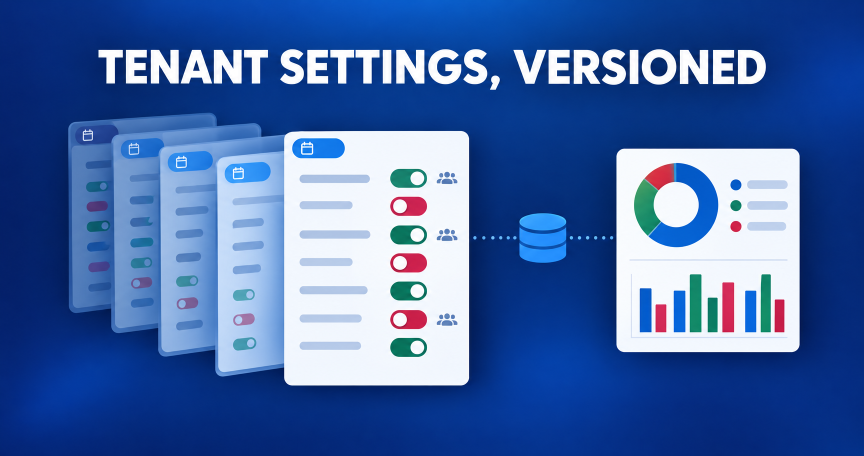
If you’ve followed this blog for a while, you’ll know tenant settings are one of my favourite things to talk about. They’re some of the most important governance controls in Fabric and Power BI, and most of us still check them by scrolling through the admin portal. Unfortunately, there’s no history, no easy way to answer “who is this actually enabled for?”, and no record of who changed what last month. So with the help of AI, I built something to fix that — a notebook, a lakehouse, and a report.
Session recap
We covered a lot in 60 minutes — all about governance that scales:
- Workspace management at scale: automating provisioning and lifecycle so workspaces are created consistently and cleaned up when they’re no longer needed.
- Automated compliance monitoring: detecting policy violations with the admin APIs and acting on them, rather than finding out in an audit.
- Governance that enables self-service: guardrails that keep things tidy without making people wait for IT.
- Admin and REST APIs for at-scale operations: which is where this demo comes in.
Slides will be available to attendees through the Whova app soon
Picking up where my earlier post left off
Back in July 2025 I wrote about Fabric Tenant Admin Settings — where to find them in the admin portal, the fact that there’s no built-in versioning or notification when settings change, and a quick notebook using the msfabricpysdkcore library to pull them into a dataframe. I finished that post by saying the data could be stored, versioned and turned into a report. Well, this is me finally doing that!
What I built
- A Fabric notebook that calls the admin API List Tenant Settings and lands the result in a lakehouse.
- Versioned storage: every run saves the raw JSON as an immutable file, appends to history tables, and logs what changed since the last run.
- A Direct Lake Power BI report with slicers for enabled vs disabled, who a setting applies to, category and security group.
- A scope page that answers the question everyone asks: is this on for the entire organisation, or only for specific security groups (and are there exclusions)?
- Deployment scripts that build the whole thing, workspace included, with one command.
Why tenant settings deserve their own pipeline
The admin portal shows you the current state, one setting at a time. What it doesn’t give you is:
- A history you can query. When someone asks “when did we turn on publish to web?”, you want a date, not a shrug.
- A single view of security group scoping. A setting that is “enabled” for one pilot group is very different from one enabled for everyone.
- A change log you can alert on, or hand to your auditors.
Fortunately, the API gives us all of that data — we just need to keep it.
The API in 30 seconds
One call: GET https://api.fabric.microsoft.com/v1/admin/tenantsettings. You need to be a Fabric administrator, or use a service principal with the Service principals can access read-only admin APIs setting turned on. It is limited to 25 requests per minute and returns a Retry-After header when you hit that, so the collector waits and retries instead of failing.
Each setting comes back with enabled, tenantSettingGroup, and optionally enabledSecurityGroups, excludedSecurityGroups, delegation flags and properties. Here is the fetch, including paging and throttling:
def fetch_tenant_settings(token: str, max_retries: int = 6) -> list:
    """Return every tenant setting, following continuation links and honouring 429 Retry-After."""
    url = f"{FABRIC_API}/admin/tenantsettings"
    headers = {"Authorization": f"Bearer {token}"}
    settings, retries = [], 0
    while url:
        resp = requests.get(url, headers=headers, timeout=60)
        if resp.status_code == 429 and retries < max_retries:
            wait = int(resp.headers.get("Retry-After", "30"))
            print(f"Throttled by the admin API - waiting {wait}s")
            time.sleep(wait)
            retries += 1
            continue
        if resp.status_code in (401, 403):
            raise PermissionError(
                f"HTTP {resp.status_code}: the identity running this notebook is not allowed to call the "
                "admin API. Run it as a Fabric administrator, or use a service principal with "
                "'Service principals can access read-only admin APIs' enabled. Response: " + resp.text[:500]
            )
        resp.raise_for_status()
        body = resp.json()
        settings.extend(body.get("value", []))
        url = body.get("continuationUri")
        if not url and body.get("continuationToken"):
            url = f"{FABRIC_API}/admin/tenantsettings?continuationToken={quote(body['continuationToken'])}"
    return settings
Is it everyone, or a security group?
This is the bit I find most useful. Whether a setting applies to the whole organisation or to specific groups depends on which security group lists come back with it:
| What the API returns | Applies to |
|---|---|
enabled: false |
Disabled |
| Enabled, no groups | Entire organization |
Enabled, only excludedSecurityGroups |
Entire organization (with exclusions) |
Enabled, with enabledSecurityGroups |
Specific security groups (plus “with exclusions” if any are excluded) |
def classify_scope(setting: dict):
    """Return (scope_category, scope_detail) - who the setting applies to."""
    enabled = bool(setting.get("enabled"))
    included = setting.get("enabledSecurityGroups") or []
    excluded = setting.get("excludedSecurityGroups") or []
    if not enabled:
        return "Disabled", "Disabled"
    if included:
        return "Security groups", "Specific security groups" + (" (with exclusions)" if excluded else "")
    if excluded:
        return "Entire organization", "Entire organization (with exclusions)"
    return "Entire organization", "Entire organization"
Versioning: how the history works
Every run gets a snapshot ID (a UTC timestamp) and writes to three layers in the lakehouse:
| Where | What | How it’s written |
|---|---|---|
Files/tenant_settings/raw/yyyy/MM/dd/ |
The full API response as JSON | New file every run, never overwritten |
tenant_settings_history (plus group and property tables) |
One row per setting per snapshot | Append |
tenant_settings_current (plus group and property tables) |
Latest state, feeds the report | Overwrite |
tenant_settings_snapshots |
One row per run with counts | Append |
tenant_settings_changes |
Each setting that changed since the previous run | Append |
Changes are classified as Enabled, Disabled, Scope changed (groups added or removed, or a switch between org-wide and groups), Modified (properties or delegation), Added or Removed. Each setting is hashed with its group lists sorted first, so the API returning groups in a different order doesn’t show up as a fake change.
One thing to know: the very first run is the baseline, so the change log starts empty. Change something harmless in the admin portal, run the notebook again, and you’ll see it appear.
The report
- Tenant Settings Overview: slicers for Enabled/Disabled, who it applies to, category and security group. KPI cards, enabled vs disabled by category, and a settings table listing enabled and excluded groups.
- Enablement Scope: entire organisation vs security groups vs exclusions, settings per security group, and a group assignment table. Pick a group in the slicer and you see exactly what it is included in or excluded from.
- Change History: snapshots captured, changes detected, the trend over time and the change log with before and after scope.

Download the code
- Notebook only: the
.ipynbto import into Fabric, the same code as a.pyfile, and a short readme. - Full demo kit: the notebook, the Direct Lake semantic model (TMDL), the report (PBIR), deployment and teardown scripts, and offline tests.
Run it yourself
Just the notebook:
- Create a lakehouse in a workspace on a Fabric or trial capacity.
- Import the
.ipynb(Import, Notebook, From this computer) and attach the lakehouse as the default. - Run all cells as a Fabric admin. Schedule it daily if you want ongoing history.
The whole thing, from PowerShell or any terminal:
pip install -r requirements.txt
python .\deploy\deploy.py --capacity "<capacity name or id>" --schedule 06:00
That creates the workspace, lakehouse, notebook, runs the first snapshot, builds the semantic model and report, and prints the report link. Running it again updates what’s there instead of creating duplicates. When you’re done, python .\deploy\teardown.py --workspace "Tenant Settings Demo" --yes removes it all.
Full notebook code
If you’d rather read it before downloading, here is the complete notebook:
Show the full notebook (Python)
# Fabric notebook source
# METADATA ********************
# META {
# META   "kernel_info": {
# META     "name": "synapse_pyspark"
# META   },
# META   "dependencies": {
# META     "lakehouse": {
# META       "default_lakehouse": "{{LAKEHOUSE_ID}}",
# META       "default_lakehouse_name": "{{LAKEHOUSE_NAME}}",
# META       "default_lakehouse_workspace_id": "{{WORKSPACE_ID}}"
# META     }
# META   }
# META }
# MARKDOWN ********************
# # Tenant Settings Collector
#
# Calls the Fabric admin API **List Tenant Settings** (`GET https://api.fabric.microsoft.com/v1/admin/tenantsettings`) and stores a **versioned** copy in the attached lakehouse:
#
# | Layer | Location | Behaviour |
# |---|---|---|
# | Raw JSON | `Files/tenant_settings/raw/yyyy/MM/dd/tenant_settings_<snapshot>.json` | One immutable file per run |
# | History | `tenant_settings_history`, `tenant_settings_security_groups_history`, `tenant_settings_properties_history` | Appended every run, keyed by `snapshot_id` |
# | Current | `tenant_settings_current`, `tenant_settings_security_groups_current`, `tenant_settings_properties_current` | Overwritten with the latest snapshot (feeds the report) |
# | Audit | `tenant_settings_snapshots`, `tenant_settings_changes` | One row per run, one row per setting that changed since the previous run |
#
# **Who can run it:** a Fabric administrator (default, `AUTH_MODE = "user"`), or a service principal (`AUTH_MODE = "spn"`, secrets in Key Vault) when the tenant setting *Service principals can access read-only admin APIs* is on.
# The API allows a maximum of 25 requests per minute; the collector honours `Retry-After` on HTTP 429.
# PARAMETERS CELL ********************
AUTH_MODE = "user"                 # "user" = signed-in Fabric admin | "spn" = service principal (secrets in Key Vault)
KEY_VAULT_URL = ""                 # e.g. "https://my-vault.vault.azure.net/" (only for AUTH_MODE = "spn")
TENANT_ID_SECRET = "fabric-admin-tenant-id"
CLIENT_ID_SECRET = "fabric-admin-client-id"
CLIENT_SECRET_SECRET = "fabric-admin-client-secret"
RAW_ROOT = "Files/tenant_settings/raw"
APPEND_HISTORY_WHEN_UNCHANGED = True   # False = only log the snapshot row when nothing changed
# METADATA ********************
# META {
# META   "language": "python",
# META   "language_group": "synapse_pyspark"
# META }
# MARKDOWN ********************
# ## 1. Helpers: authentication and API paging
# CELL ********************
import json, hashlib, os, re, time
from datetime import datetime, timezone
from urllib.parse import quote
import requests
FABRIC_API = "https://api.fabric.microsoft.com/v1"
FABRIC_SCOPE = "https://api.fabric.microsoft.com/.default"
try:
    notebookutils  # noqa: F821  (pre-loaded in Fabric notebooks)
except NameError:  # pragma: no cover
    import notebookutils  # type: ignore

def get_access_token() -> str:
    """Token for the Fabric REST API, as the signed-in user or a service principal."""
    if AUTH_MODE.lower() == "spn":
        if not KEY_VAULT_URL:
            raise ValueError("AUTH_MODE is 'spn' but KEY_VAULT_URL is empty.")
        tenant_id = notebookutils.credentials.getSecret(KEY_VAULT_URL, TENANT_ID_SECRET)
        client_id = notebookutils.credentials.getSecret(KEY_VAULT_URL, CLIENT_ID_SECRET)
        client_secret = notebookutils.credentials.getSecret(KEY_VAULT_URL, CLIENT_SECRET_SECRET)
        resp = requests.post(
            f"https://login.microsoftonline.com/{tenant_id}/oauth2/v2.0/token",
            data={
                "grant_type": "client_credentials",
                "client_id": client_id,
                "client_secret": client_secret,
                "scope": FABRIC_SCOPE,
            },
            timeout=30,
        )
        resp.raise_for_status()
        return resp.json()["access_token"]
    # Signed-in user (must be a Fabric administrator)
    return notebookutils.credentials.getToken("pbi")

def fetch_tenant_settings(token: str, max_retries: int = 6) -> list:
    """Return every tenant setting, following continuation links and honouring 429 Retry-After."""
    url = f"{FABRIC_API}/admin/tenantsettings"
    headers = {"Authorization": f"Bearer {token}"}
    settings, retries = [], 0
    while url:
        resp = requests.get(url, headers=headers, timeout=60)
        if resp.status_code == 429 and retries < max_retries:
            wait = int(resp.headers.get("Retry-After", "30"))
            print(f"Throttled by the admin API - waiting {wait}s")
            time.sleep(wait)
            retries += 1
            continue
        if resp.status_code in (401, 403):
            raise PermissionError(
                f"HTTP {resp.status_code}: the identity running this notebook is not allowed to call the "
                "admin API. Run it as a Fabric administrator, or use a service principal with "
                "'Service principals can access read-only admin APIs' enabled. Response: " + resp.text[:500]
            )
        resp.raise_for_status()
        body = resp.json()
        settings.extend(body.get("value", []))
        url = body.get("continuationUri")
        if not url and body.get("continuationToken"):
            url = f"{FABRIC_API}/admin/tenantsettings?continuationToken={quote(body['continuationToken'])}"
    return settings
# METADATA ********************
# META {
# META   "language": "python",
# META   "language_group": "synapse_pyspark"
# META }
# MARKDOWN ********************
# ## 2. Transform: flatten settings, classify scope, detect changes
# Pure Python so it can be unit-tested outside Fabric.
# CELL ********************
def split_camel(name: str) -> str:
    """'ExportAndSharing' -> 'Export And Sharing'; 'AdminApiSettings' -> 'Admin Api Settings'."""
    if not name:
        return "Uncategorised"
    spaced = re.sub(r"(?<=[a-z0-9])(?=[A-Z])|(?<=[A-Z])(?=[A-Z][a-z])", " ", name)
    return spaced.replace("_", " ").strip()

def yes_no(value) -> str:
    if value is True:
        return "Yes"
    if value is False:
        return "No"
    return "Not applicable"

def classify_scope(setting: dict):
    """Return (scope_category, scope_detail) - who the setting applies to."""
    enabled = bool(setting.get("enabled"))
    included = setting.get("enabledSecurityGroups") or []
    excluded = setting.get("excludedSecurityGroups") or []
    if not enabled:
        return "Disabled", "Disabled"
    if included:
        return "Security groups", "Specific security groups" + (" (with exclusions)" if excluded else "")
    if excluded:
        return "Entire organization", "Entire organization (with exclusions)"
    return "Entire organization", "Entire organization"

def _group_names(groups) -> str:
    return "; ".join(sorted((g.get("name") or g.get("graphId") or "") for g in (groups or [])))

def setting_hash(setting: dict) -> str:
    """Stable fingerprint of a setting so re-ordered group lists are not reported as changes."""
    normalised = dict(setting)
    for key in ("enabledSecurityGroups", "excludedSecurityGroups"):
        normalised[key] = sorted((normalised.get(key) or []), key=lambda g: (g.get("graphId") or "", g.get("name") or ""))
    normalised["properties"] = sorted((normalised.get("properties") or []), key=lambda p: p.get("name") or "")
    return hashlib.sha256(json.dumps(normalised, sort_keys=True, default=str).encode("utf-8")).hexdigest()

def build_rows(settings: list, snapshot_id: str, snapshot_utc) -> dict:
    """Flatten the API payload into setting, security-group and property rows."""
    setting_rows, group_rows, property_rows = [], [], []
    for s in settings:
        name = s.get("settingName")
        category, detail = classify_scope(s)
        included = s.get("enabledSecurityGroups") or []
        excluded = s.get("excludedSecurityGroups") or []
        props = s.get("properties") or []
        setting_rows.append({
            "snapshot_id": snapshot_id,
            "snapshot_utc": snapshot_utc,
            "setting_name": name,
            "title": s.get("title") or name,
            "setting_group": s.get("tenantSettingGroup") or "",
            "setting_group_display": split_camel(s.get("tenantSettingGroup") or ""),
            "status": "Enabled" if s.get("enabled") else "Disabled",
            "is_enabled": bool(s.get("enabled")),
            "scope_category": category,
            "scope_detail": detail,
            "can_specify_security_groups": yes_no(s.get("canSpecifySecurityGroups")),
            "enabled_group_count": len(included),
            "excluded_group_count": len(excluded),
            "enabled_groups": _group_names(included),
            "excluded_groups": _group_names(excluded),
            "delegate_to_capacity": yes_no(s.get("delegateToCapacity")),
            "delegate_to_domain": yes_no(s.get("delegateToDomain")),
            "delegate_to_workspace": yes_no(s.get("delegateToWorkspace")),
            "property_count": len(props),
            "setting_hash": setting_hash(s),
        })
        for role, groups in (("Enabled for", included), ("Excluded from", excluded)):
            for g in groups:
                group_rows.append({
                    "snapshot_id": snapshot_id,
                    "snapshot_utc": snapshot_utc,
                    "setting_name": name,
                    "group_id": g.get("graphId") or "",
                    "group_name": g.get("name") or g.get("graphId") or "",
                    "group_role": role,
                })
        for p in props:
            property_rows.append({
                "snapshot_id": snapshot_id,
                "snapshot_utc": snapshot_utc,
                "setting_name": name,
                "property_name": p.get("name") or "",
                "property_value": None if p.get("value") is None else str(p.get("value")),
                "property_type": p.get("type") or "",
            })
    return {"settings": setting_rows, "groups": group_rows, "properties": property_rows}

def _split_names(value):
    return set(n for n in (value or "").split("; ") if n)

def diff_snapshots(previous: list, current: list, snapshot_id: str, snapshot_utc) -> list:
    """Compare the previous current-table rows with the new rows; one change row per setting that moved."""
    prev = {r["setting_name"]: r for r in previous}
    curr = {r["setting_name"]: r for r in current}
    changes = []
    def row(name, change_type, p, c, summary):
        ref = c or p
        return {
            "snapshot_id": snapshot_id,
            "snapshot_utc": snapshot_utc,
            "setting_name": name,
            "title": ref.get("title"),
            "change_type": change_type,
            "previous_status": p.get("status") if p else None,
            "new_status": c.get("status") if c else None,
            "previous_scope": p.get("scope_detail") if p else None,
            "new_scope": c.get("scope_detail") if c else None,
            "change_summary": summary,
        }
    for name in sorted(set(prev) | set(curr)):
        p, c = prev.get(name), curr.get(name)
        if p is None:
            changes.append(row(name, "Added", None, c, f"New setting ({c['status']})"))
        elif c is None:
            changes.append(row(name, "Removed", p, None, "Setting no longer returned by the API"))
        elif p.get("setting_hash") != c.get("setting_hash"):
            parts = []
            if p.get("status") != c.get("status"):
                parts.append(f"{p.get('status')} -> {c.get('status')}")
            if p.get("scope_detail") != c.get("scope_detail"):
                parts.append(f"Scope: {p.get('scope_detail')} -> {c.get('scope_detail')}")
            for label, col in (("enabled", "enabled_groups"), ("excluded", "excluded_groups")):
                added = _split_names(c.get(col)) - _split_names(p.get(col))
                removed = _split_names(p.get(col)) - _split_names(c.get(col))
                if added:
                    parts.append(f"Groups {label} added: {', '.join(sorted(added))}")
                if removed:
                    parts.append(f"Groups {label} removed: {', '.join(sorted(removed))}")
            if not parts:
                parts.append("Properties or delegation changed")
            if p.get("status") != c.get("status"):
                change_type = "Enabled" if c.get("status") == "Enabled" else "Disabled"
            elif p.get("scope_detail") != c.get("scope_detail") or any(s.startswith("Groups") for s in parts):
                change_type = "Scope changed"
            else:
                change_type = "Modified"
            changes.append(row(name, change_type, p, c, "; ".join(parts)))
    return changes
# METADATA ********************
# META {
# META   "language": "python",
# META   "language_group": "synapse_pyspark"
# META }
# MARKDOWN ********************
# ## 3. Collect and land the raw, immutable JSON snapshot
# CELL ********************
snapshot_dt = datetime.now(timezone.utc).replace(microsecond=0)
snapshot_utc = snapshot_dt.replace(tzinfo=None)          # stored as UTC
snapshot_id = snapshot_dt.strftime("%Y%m%dT%H%M%SZ")
token = get_access_token()
settings = fetch_tenant_settings(token)
print(f"Retrieved {len(settings)} tenant settings (snapshot {snapshot_id})")
raw_rel_path = f"{RAW_ROOT}/{snapshot_dt:%Y/%m/%d}/tenant_settings_{snapshot_id}.json"
raw_local_path = f"/lakehouse/default/{raw_rel_path}"
os.makedirs(os.path.dirname(raw_local_path), exist_ok=True)
with open(raw_local_path, "w", encoding="utf-8") as fh:
    json.dump({
        "snapshot_id": snapshot_id,
        "captured_utc": snapshot_dt.isoformat(),
        "captured_by": AUTH_MODE,
        "source": f"{FABRIC_API}/admin/tenantsettings",
        "setting_count": len(settings),
        "value": settings,
    }, fh, indent=2)
print(f"Raw snapshot written to {raw_rel_path}")
# METADATA ********************
# META {
# META   "language": "python",
# META   "language_group": "synapse_pyspark"
# META }
# MARKDOWN ********************
# ## 4. Write versioned Delta tables
# CELL ********************
from pyspark.sql.types import StructType, StructField, StringType, TimestampType, BooleanType, IntegerType
SETTING_SCHEMA = StructType([
    StructField("snapshot_id", StringType()), StructField("snapshot_utc", TimestampType()),
    StructField("setting_name", StringType()), StructField("title", StringType()),
    StructField("setting_group", StringType()), StructField("setting_group_display", StringType()),
    StructField("status", StringType()), StructField("is_enabled", BooleanType()),
    StructField("scope_category", StringType()), StructField("scope_detail", StringType()),
    StructField("can_specify_security_groups", StringType()),
    StructField("enabled_group_count", IntegerType()), StructField("excluded_group_count", IntegerType()),
    StructField("enabled_groups", StringType()), StructField("excluded_groups", StringType()),
    StructField("delegate_to_capacity", StringType()), StructField("delegate_to_domain", StringType()),
    StructField("delegate_to_workspace", StringType()), StructField("property_count", IntegerType()),
    StructField("setting_hash", StringType()),
])
GROUP_SCHEMA = StructType([
    StructField("snapshot_id", StringType()), StructField("snapshot_utc", TimestampType()),
    StructField("setting_name", StringType()), StructField("group_id", StringType()),
    StructField("group_name", StringType()), StructField("group_role", StringType()),
])
PROPERTY_SCHEMA = StructType([
    StructField("snapshot_id", StringType()), StructField("snapshot_utc", TimestampType()),
    StructField("setting_name", StringType()), StructField("property_name", StringType()),
    StructField("property_value", StringType()), StructField("property_type", StringType()),
])
CHANGE_SCHEMA = StructType([
    StructField("snapshot_id", StringType()), StructField("snapshot_utc", TimestampType()),
    StructField("setting_name", StringType()), StructField("title", StringType()),
    StructField("change_type", StringType()), StructField("previous_status", StringType()),
    StructField("new_status", StringType()), StructField("previous_scope", StringType()),
    StructField("new_scope", StringType()), StructField("change_summary", StringType()),
])
SNAPSHOT_SCHEMA = StructType([
    StructField("snapshot_id", StringType()), StructField("snapshot_utc", TimestampType()),
    StructField("setting_count", IntegerType()), StructField("enabled_count", IntegerType()),
    StructField("disabled_count", IntegerType()), StructField("security_group_scoped_count", IntegerType()),
    StructField("change_count", IntegerType()), StructField("is_baseline", BooleanType()),
    StructField("raw_file_path", StringType()), StructField("captured_by", StringType()),
])

def to_df(rows, schema):
    return spark.createDataFrame([tuple(r.get(f.name) for f in schema.fields) for r in rows], schema)

def write(rows, schema, table, mode):
    (to_df(rows, schema).write.format("delta").mode(mode)
        .option("overwriteSchema" if mode == "overwrite" else "mergeSchema", "true")
        .saveAsTable(table))

rows = build_rows(settings, snapshot_id, snapshot_utc)
# Previous state = the current table before we overwrite it
is_baseline = not spark.catalog.tableExists("tenant_settings_current")
previous = [] if is_baseline else [r.asDict() for r in spark.table("tenant_settings_current").collect()]
changes = [] if is_baseline else diff_snapshots(previous, rows["settings"], snapshot_id, snapshot_utc)
if is_baseline or changes or APPEND_HISTORY_WHEN_UNCHANGED:
    write(rows["settings"], SETTING_SCHEMA, "tenant_settings_history", "append")
    write(rows["groups"], GROUP_SCHEMA, "tenant_settings_security_groups_history", "append")
    write(rows["properties"], PROPERTY_SCHEMA, "tenant_settings_properties_history", "append")
write(rows["settings"], SETTING_SCHEMA, "tenant_settings_current", "overwrite")
write(rows["groups"], GROUP_SCHEMA, "tenant_settings_security_groups_current", "overwrite")
write(rows["properties"], PROPERTY_SCHEMA, "tenant_settings_properties_current", "overwrite")
write(changes, CHANGE_SCHEMA, "tenant_settings_changes", "append")   # creates the table on the first run
enabled_count = sum(1 for r in rows["settings"] if r["is_enabled"])
write([{
    "snapshot_id": snapshot_id,
    "snapshot_utc": snapshot_utc,
    "setting_count": len(rows["settings"]),
    "enabled_count": enabled_count,
    "disabled_count": len(rows["settings"]) - enabled_count,
    "security_group_scoped_count": sum(1 for r in rows["settings"] if r["scope_category"] == "Security groups"),
    "change_count": len(changes),
    "is_baseline": is_baseline,
    "raw_file_path": raw_rel_path,
    "captured_by": AUTH_MODE,
}], SNAPSHOT_SCHEMA, "tenant_settings_snapshots", "append")
print(f"Snapshot {snapshot_id}: {len(rows['settings'])} settings, {enabled_count} enabled, "
      f"{len(rows['groups'])} security-group assignments, {len(changes)} changes"
      + (" (baseline run)" if is_baseline else ""))
# METADATA ********************
# META {
# META   "language": "python",
# META   "language_group": "synapse_pyspark"
# META }
# MARKDOWN ********************
# ## 5. Quick look
# CELL ********************
display(spark.sql("""
    SELECT scope_detail, status, COUNT(*) AS settings
    FROM tenant_settings_current
    GROUP BY scope_detail, status
    ORDER BY settings DESC
"""))
display(spark.table("tenant_settings_changes").orderBy("snapshot_utc", ascending=False).limit(50))
# METADATA ********************
# META {
# META   "language": "python",
# META   "language_group": "synapse_pyspark"
# META }
A few tips
- Run it with a service principal and Key Vault for anything beyond a demo. Set
AUTH_MODE = "spn"in the parameters cell. - The raw JSON files are your audit trail. Keep them even if you change the tables later.
- Want to know when someone flips a setting? Put an Activator rule or data alert on the changes table, or have Power Automate pick up new change rows and post them to Teams. That turns this into the compliance monitoring pattern from the session.
- Capacity admins can override some tenant settings. My earlier post pulled those overrides too, and adding the capacity overrides admin API as a second table here is a natural next step
Thanks!
Thanks again to everyone who came along, to Shabnam for being such a great co-presenter, and to the PPCC26 team for having us. You can find the session page here. If you give this a go in your tenant, let me know how you get on or what you’d add — I’d love to hear it